
CIA - Caller ID & Call Blocker5.5.5821 - Get APK
You'll be able to download in few seconds.
Publisher Description
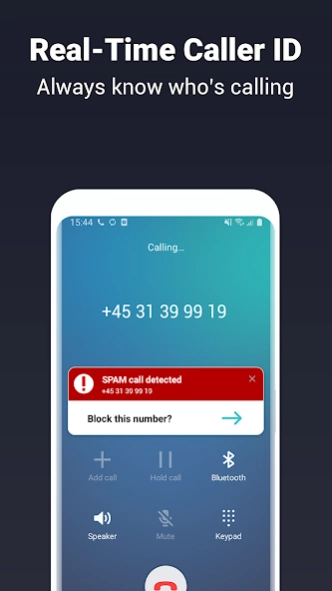
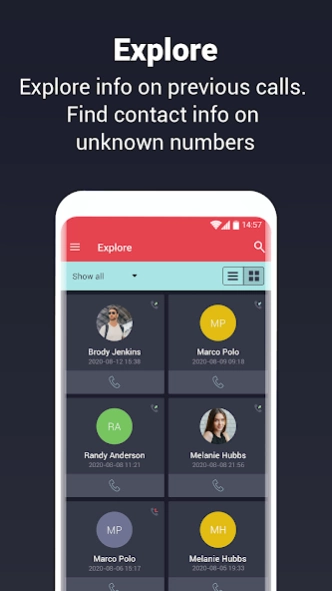
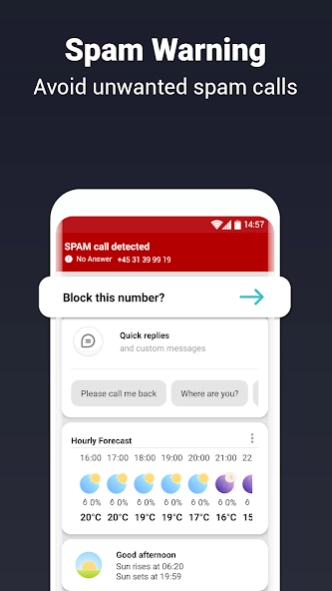
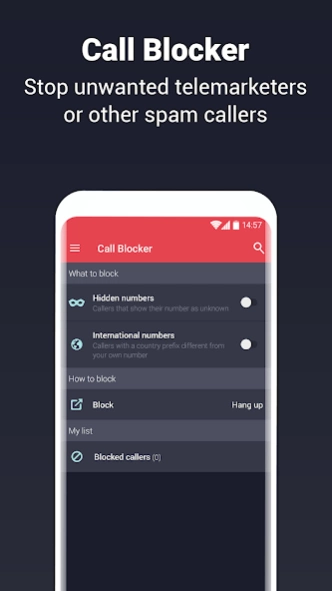
Find unknown numbers, see who's calling and detect spam with caller ID & block.
CIA - Caller ID will help you identify unknown numbers on incoming calls. CIA also helps you block unwanted calls and warns you about spam/scam calls based on numbers reported by millions of users worldwide.
With CIA you can immediately see who an anonymous caller is, whether it is a business or a personal number. Our database identifies contact data for more than 1.5 billion numbers worldwide. Block phone numbers and add them to your own personal blacklist.
Features
• Real-time Caller ID: Always know who’s calling.
• Slide, tap, swipe: Slide the Caller ID up or down the screen, tap to minimize or swipe to dismiss during calls.
• Smart call actions: Mute or block calls, reject calls with predefined text messages, or set a call back reminder.
• Call blocker: Block calls from telemarketers and other scam/spam callers.
• Spam warning: Get warnings for more than 1 million spam numbers worldwide.
• Search numbers: Identify name, address, or business information of who’s behind a strange telephone number.
• Contact shortcuts: Multiple ways to handle contacts on after call screens.
About CIA - Caller ID & Call Blocker
The company that develops CIA - Caller ID & Call Blocker is Caller ID App Dev Ciamedia. The latest version released by its developer is 5.5.5821.
To install CIA - Caller ID & Call Blocker on your Android device, just click the green Continue To App button above to start the installation process. The app is listed on our website since 2024-03-07 and was downloaded 0 times. We have already checked if the download link is safe, however for your own protection we recommend that you scan the downloaded app with your antivirus. Your antivirus may detect the CIA - Caller ID & Call Blocker as malware as malware if the download link to com.ciamedia.caller.id is broken.
How to install CIA - Caller ID & Call Blocker on your Android device:
- Click on the Continue To App button on our website. This will redirect you to Google Play.
- Once the CIA - Caller ID & Call Blocker is shown in the Google Play listing of your Android device, you can start its download and installation. Tap on the Install button located below the search bar and to the right of the app icon.
- A pop-up window with the permissions required by CIA - Caller ID & Call Blocker will be shown. Click on Accept to continue the process.
- CIA - Caller ID & Call Blocker will be downloaded onto your device, displaying a progress. Once the download completes, the installation will start and you'll get a notification after the installation is finished.
Program Details
System requirements
Download information
Pricing
Version History
version 5.5.5821
posted on 2024-03-07
Thank you for using CIA - Caller ID & Call Blocker. We regularly update this app to optimize performance, add new features and integrate improvements based on your suggestions. We hope you continue to enjoy using this app.
version 5.3.9.216
posted on 2021-11-29
version 1.6 and up
posted on 2011-04-13
Several fixes and updates
Disclaimer
External Download
We do not host CIA - Caller ID & Call Blocker on our servers. We did not scan it for viruses, adware, spyware or other type of malware. This app is hosted by Galad and passed their terms and conditions to be listed there. We recommend caution when installing it.
The APK Download link for CIA - Caller ID & Call Blocker is provided to you by apps112.com without any warranties, representations or guarantees of any kind, so access it at your own risk.
If you have questions regarding this particular app contact the publisher directly. For questions about the functionalities of apps112.com contact us.
